Potchefstroom CBD
Mochachos WhatsApp ordering
WhatsApp is live. A promotion goes to customers who messaged in the last 24 hours.
Customers message the branch on WhatsApp, get the menu, and order one item or several. They can type the whole order, or tap through it. The order lands on the kitchen screen. The kitchen accepts it, and the customer is told when it is ready to collect at 17 Nelson Mandela Drive. Delivery is switched off for now.
Open the kitchen screenSend a promotionCustomer order menuOps consoleMenu, page 1Menu, page 2Menu PDF
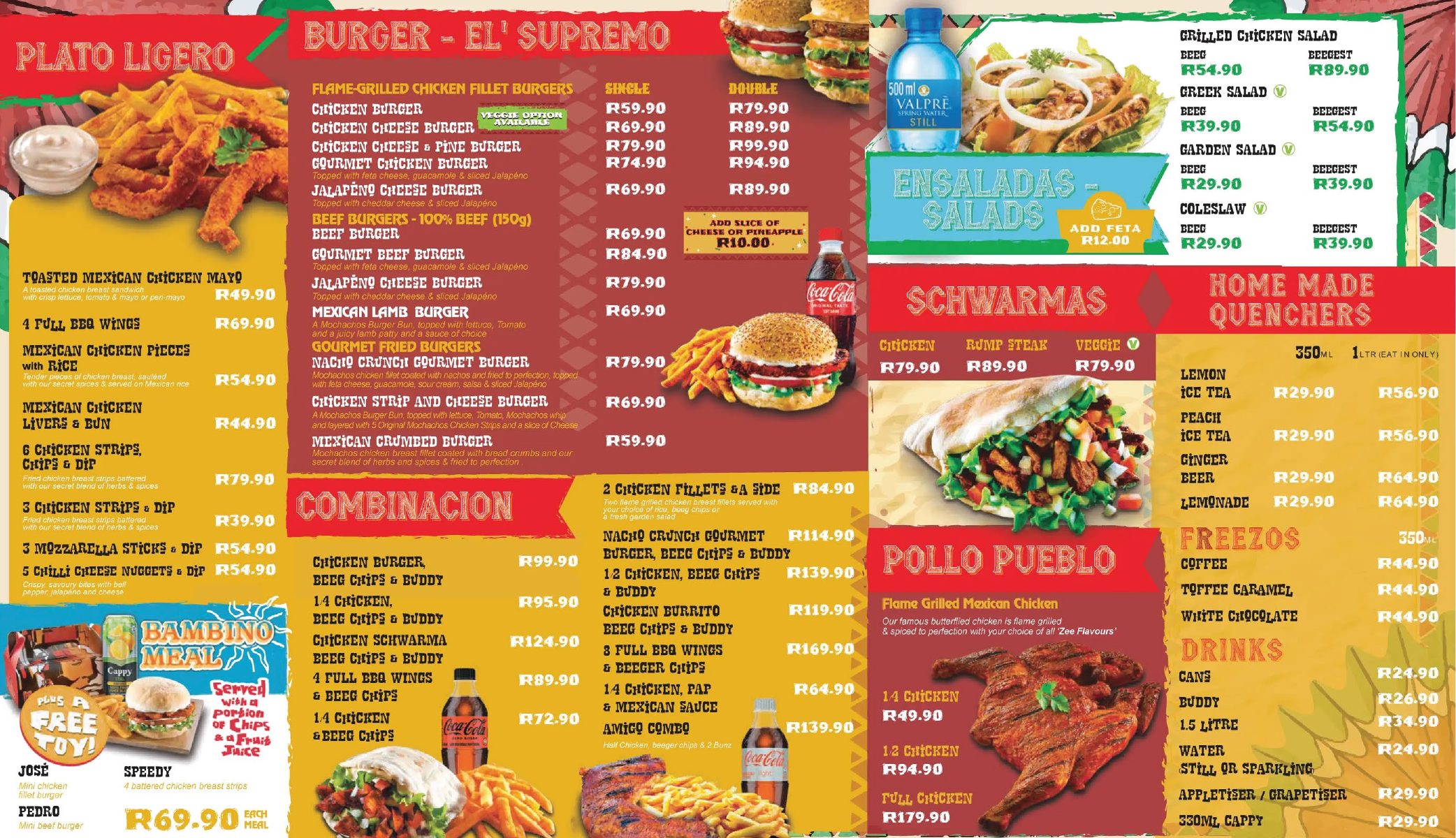
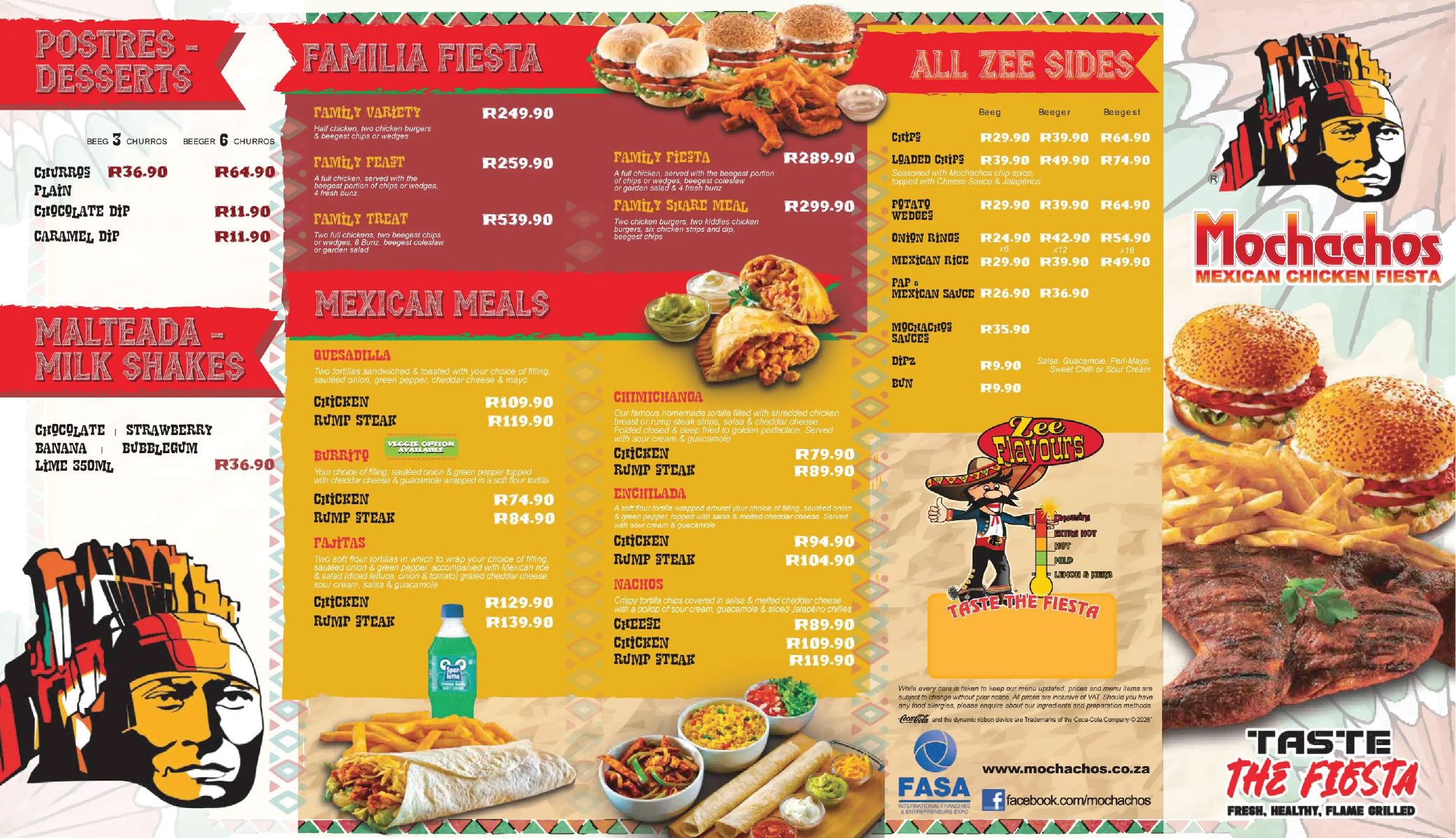
How a message is handled
- A greeting offers two ways in: type the whole order, or browse the menu. A close spelling still counts, so burito is read as Burrito. A spice left out is asked per item. Type all hot when every item still waiting should match.
- When the basket is ready there are three buttons: Confirm order, Add to order, and Cancel order.
- After the spice and the meal, each item asks what to leave out, or an allergy. They type it, for example no tomato, or tap No notes.
- Confirm order shows the receipt for collection. Accept sends it to the kitchen. Decline clears it. Delivery is switched off.
- The kitchen accepts the ticket and later marks it ready. Both steps message the customer. A leave-out shows on that item.
- Shop questions (hours, a meal, allergies) get a written answer. Ticket questions (how long, cancel, what is in it) are read from the order. Halaal is passed to the shop.